Download the d666 fuel App and Play Anywhere on Android
The d666 fuel App puts fishing games, slots and live casino right on your phone. Deposit with bKash in under a minute, withdraw in around 39 minutes, and get push alerts when your bonus lands. Completely free — just download the APK and install it.
Free · 45 MB · Android 8.0+ · Version 3.1.9
- SSL Encrypted
- 18+ Only
- 24/7 Support
- bKash & Nagad
APK File Details and Direct Download
Always download from this page. Third-party APK sites may bundle modified files. The official d666 fuel App is free, ad-free and contains no hidden charges.
d666fuel.apk
45 MB · Free · Official release from d666 fuel
| Version | 3.1.9 |
|---|---|
| File Size | 45 MB |
| Minimum Android | Android 8.0 (Oreo) and above |
| Last Updated | 14 November 2026 |
| Price | Free |
| Languages | English, Bangla |
| File Name | d666fuel.apk |
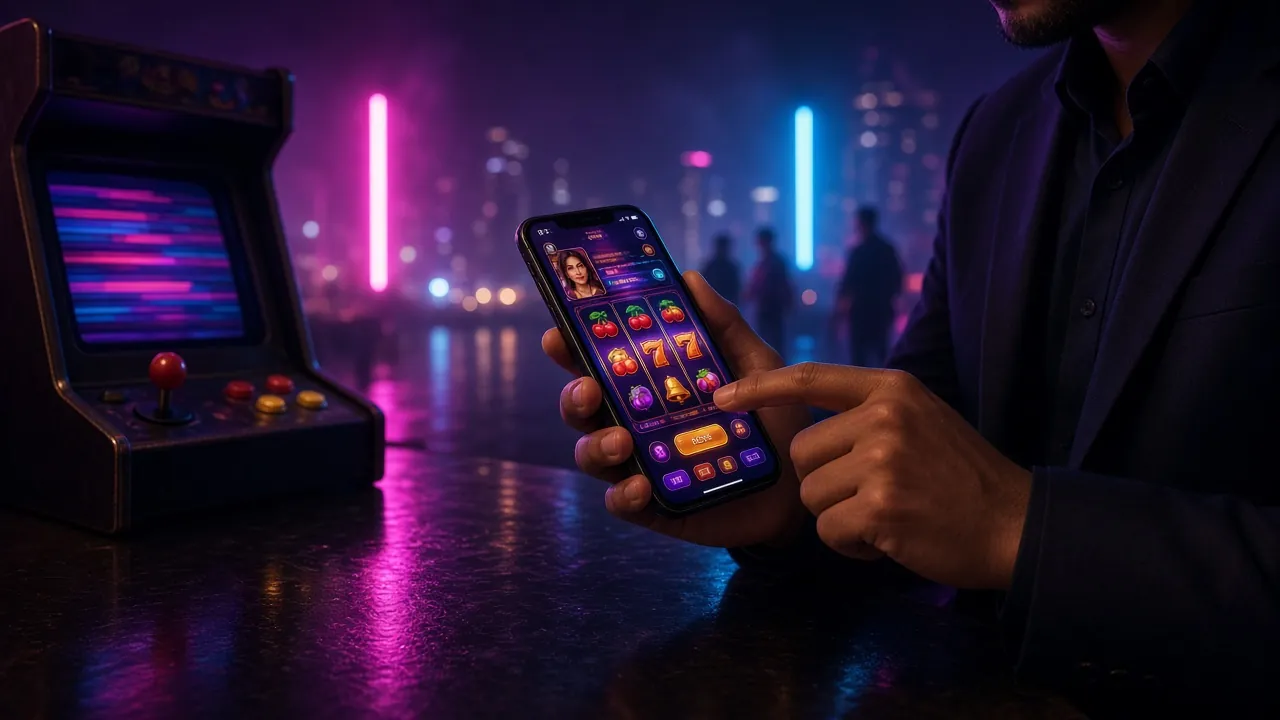
Games You Can Play Inside the App
Every game in the d666 fuel casino lobby is available in the app — optimised for touch controls and smaller screens. Here are two popular picks that run especially well on mobile.


Already have an account? Log in here and launch any game directly from the app.
Install the d666 fuel App on Android in Five Steps
Android does not allow APK files from outside the Play Store by default. You need to enable one setting first. The whole process takes about two minutes on most phones running Android 8.0 or above.
Allow Unknown Sources
Go to Settings → Security (or Privacy). Enable "Install unknown apps" for your browser. On Android 8.0+ you do this per-app, not site-wide.
Tap Download APK
Press the "Download APK" button above. Your browser will save d666fuel.apk (45 MB) to your Downloads folder. Wait for the progress bar to finish.
Open the File
Open your notification panel and tap the completed download, or find the file in your Files / My Files app under Downloads. Tap the .apk file to begin installation.
Confirm Installation
Android will show an "Install" prompt listing the permissions the app needs. Review them and tap Install. The app icon appears on your home screen in seconds.
Log In or Register
Open d666 fuel, tap Login if you already have an account. New user? Tap Register, fill in your details and deposit ৳100 to claim the welcome bonus.
Security note: After installation you can turn "Install unknown apps" back off. The d666 fuel App itself does not need that permission to run — only the initial install uses it.
iPhone? Add d666 fuel to Your Home Screen in Seconds
Apple does not allow APK files, so there is no iOS App Store listing. Instead, open the mobile site in Safari and save it as a home screen shortcut. It opens full-screen, without the browser bar, and behaves like an installed app.
- Open Safari on your iPhone and go to d666fuel.net.
- Tap the Share icon at the bottom of the screen (the box with an arrow pointing up).
- Scroll down the Share sheet and tap "Add to Home Screen".
- Edit the name to d666 fuel if you like, then tap Add in the top-right corner.
- The d666 fuel icon now sits on your home screen. Tap it to open the site in full-screen mode — no browser bar, no distractions.
This works best in Safari. Chrome on iOS does not support the "Add to Home Screen" prompt in the same way.
What Changes When You Switch to the d666 fuel App
The app is not just a resized website. It is built for touch, optimised for mobile data and gives you a few extras that the browser version cannot match.
Quick Login with Fingerprint
Use your phone's fingerprint sensor or face unlock to get in. No need to type your password every time — just a tap and you are playing.
bKash & Nagad in One Tap
Deposits clear in about 1 minute. The app saves your preferred payment method so top-ups during a session are fast. Minimum deposit is ৳100.
Live Casino Streams
Evolution live tables — including Double Exposure Blackjack — stream smoothly over 4G. The app buffers less than a browser tab because it uses a dedicated video player.
Push Notifications
Get an alert when a reload bonus drops, when your withdrawal is processed or when a live match you have bet on kicks off. Turn them on individually in app settings.
Cricket & BPL Betting
Follow BPL and international T20 matches with live odds that update ball by ball. Swipe between markets without reloading the page — the app keeps your slip open.
Auto-Updates via the App
When a new version is available, the app shows a one-tap update prompt inside the lobby. You do not need to come back to this page and re-download the APK manually.
New to d666 fuel? Create a free account first, then download the app and log in to access your welcome bonus.
App or Browser — Which One Suits Your Setup?
Both work. Here is an honest side-by-side so you can pick what fits your phone and habits. Most Bangladesh players on mobile data prefer the app after the first week.
d666 fuel App
-
Faster load times Fewer HTTP requests than a browser tab; most pages open under 2 seconds on 4G.
-
Push notifications Real-time bonus and withdrawal alerts — not possible in a standard browser on Android.
-
Biometric login Fingerprint or face unlock — no typing on small keyboards.
-
Lower data use App caches static assets locally; subsequent sessions use less mobile data.
-
Works offline for lobby You can browse the game lobby and check your balance without an active connection.
-
Requires installation One-time APK install with the "unknown sources" step on Android.
Mobile Browser
-
No install needed Just open d666fuel.net in Chrome or Firefox — nothing to download.
-
Works on iOS iPhone users can use the mobile site (and add it to their home screen).
-
Slower on slow networks Re-downloads assets every session, which costs more data on 2G / 3G.
-
No push alerts You will not know when a bonus lands unless you open the site yourself.
-
No biometrics Password must be typed each time unless your browser's password manager does it.
-
Browser tabs compete Other open tabs can slow down live game streams on low-RAM phones.
Fix Installation Errors Before You Contact Support
Most APK install problems have a simple cause. Check this table first — it covers the five errors players report most often. If none of these match your situation, open live chat.
| Problem | Likely Cause | Fix |
|---|---|---|
| "Install blocked" message | Unknown sources setting is off for the browser you used to download. | Go to Settings → Security → Install unknown apps, find your browser in the list and enable it. Then tap the APK file again. |
| "Parse error" or "Package appears corrupt" | Download was interrupted or the file is incomplete (less than 45 MB on disk). | Delete the partial file from your Downloads folder, reconnect to a stable network or Wi-Fi, and re-download the APK from this page. |
| "Not enough storage" | Less than ~90 MB free on internal storage (45 MB for download + space to install). | Free up space by deleting cached apps (Settings → Apps → clear cache) or move photos to an SD card. Then retry the install. |
| App installs but won't open | Android version below 8.0, or the phone has restricted background data for new apps. | Check your Android version in Settings → About Phone. If below 8.0, use the mobile browser instead. Otherwise allow background data for the app. |
| Blank white or black screen on launch | App cached from an older install conflicting with the new version. | Go to Settings → Apps → d666 fuel → Storage → Clear Cache and Clear Data. Reopen the app and log in again. |
Still stuck? Our 24/7 live chat team can walk you through the install in real time — tap the chat icon in the app header or on the site.
Playing on a Basic Android Phone or a Slow Network
The d666 fuel App runs on Android 8.0 devices with as little as 2 GB RAM. If your phone is entry-level or you are on 2G / 3G most of the time, these settings will keep the experience smooth and your data bill low.
Turn Off HD Graphics
In App Settings → Display, switch Game Quality to Standard. Slots still look sharp; you save about 30% mobile data per session.
Slots Work on 2G / 3G
RNG slots like Leprechaun Riches (JDB) need very little data — a few KB per spin. Avoid live video streams if your signal is weak.
Battery Saver Mode
Enable your phone's Battery Saver. The app detects reduced performance mode and dims animations automatically, cutting power use.
Clear App Cache Weekly
Settings → Apps → d666 fuel → Storage → Clear Cache. This frees up space without deleting your login or settings.
Download Over Wi-Fi
If you are on a limited mobile data plan, download the APK update at home over Wi-Fi. The 45 MB file uses roughly the same data as streaming one minute of HD video.
Close Background Apps
On phones with 2 GB RAM, closing social media apps before opening d666 fuel gives the game engine more memory to work with — fewer dropped frames during fishing games.
Get the d666 fuel App Running in Five Minutes
From download to your first bet — here is the exact sequence, including the one Android setting most players miss.
-
Download the APK
Tap Download APK on this page. Your browser saves d666fuel.apk (45 MB) to your Downloads folder. Only use this official link — third-party mirrors may carry modified files.
-
Allow installs from this source
When you open the file, Android asks for permission. Go to Settings → Apps → Special app access → Install unknown apps, find your browser and toggle it on. You only need to do this once.
-
Run the installer
Open the downloaded file from your notifications bar or file manager. Tap Install and wait — the whole process takes under 30 seconds on Android 8.0 and above.
-
Log in or create your account
Launch the app, then tap Log In if you already have a d666 fuel account, or tap Register to open one in about two minutes.
-
Deposit with bKash and start playing
Go to Deposit, choose bKash or Nagad, enter ৳100 or more, and confirm on your mobile wallet. Funds arrive in around one minute — then pick any game and play.
Common Questions About App Download and Install
Answers to the things players ask before and after installing the APK.
Is the d666 fuel APK file safe to install?
Why does Android say "Install blocked" when I tap the APK?
How do I update the app to the latest version?
Can I use the same account on the app and the website?
What Android version does the app need, and does it work on iPhone?
Will the app work on a slow mobile connection during a cricket match?
Ready to Play? Download the App and Open Your Account
Get the d666 fuel App, deposit ৳100 with bKash or Nagad, and your welcome bonus lands within seconds. Fish, spin and bet — all from your phone.
Already registered? Log in to your account · Explore the casino lobby